
Claude Agent SDK Guide 2026: Build Custom AI Agents Step by Step
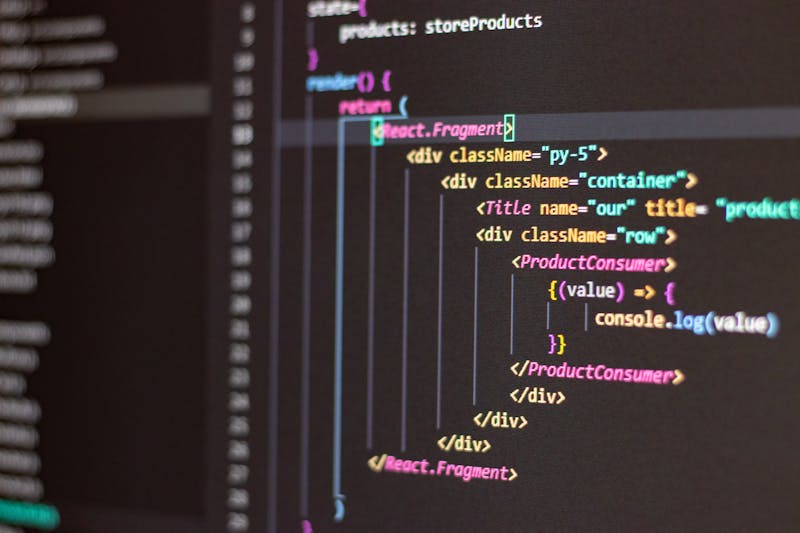
The Claude Agent SDK lets developers ship production AI agents in days - not weeks.
What is the Claude Agent SDK?
The Claude Agent SDK is Anthropic's official open-source toolkit for building production AI agents. It provides ready-made building blocks - tool calling, conversation loops, memory, and parallel sub-agents - so you can build, test, and deploy AI agents in days instead of weeks.
An AI agent is software that uses an LLM (like Claude) to plan and execute multi-step tasks. Where a chatbot just chats, an agent does work - it reads documents, calls APIs, makes decisions, writes code, sends emails. The SDK gives you the scaffolding so you do not have to reinvent the loop on every project.
Why Use the SDK Instead of Raw API?
You can build an agent calling the Claude API directly. But you will quickly need to handle: tool calling protocol, conversation history, retries, parallel sub-agents, memory across runs, prompt caching, and streaming. The SDK handles all of this for you.
| Feature | Raw API | Agent SDK |
|---|---|---|
| Multi-turn conversations | Manual loop | Built-in |
| Tool calling | Build the protocol yourself | Decorator-based, simple |
| Parallel sub-agents | Not supported | Native |
| Memory across runs | Roll your own | Pluggable backends |
| Prompt caching | Manual headers | Automatic |
| Time to first agent | 2-3 weeks | 1-2 hours |
Install & Setup in 5 Minutes
For Python:
pip install claude-agent-sdk
export ANTHROPIC_API_KEY="your-key-here"
For JavaScript / TypeScript:
npm install @anthropic-ai/agent-sdk
# add ANTHROPIC_API_KEY to .env
You need an Anthropic API key from console.anthropic.com. Free tier covers your first few weeks of testing.
Build Your First Agent
Here is a minimal Python agent that summarises any URL the user gives it:
from claude_agent_sdk import Agent, tool
import requests

@tool
def fetch_url(url: str) -> str:
    """Fetch the text content of a webpage."""
    return requests.get(url).text[:5000]

agent = Agent(
    model="claude-sonnet-4-6",
    system="You are a research assistant. Summarise webpages in 3 bullet points.",
    tools=[fetch_url],
)

result = agent.run("Summarise https://anthropic.com/news")
print(result.text)
That is the entire agent. The SDK handles the loop: Claude reads the user message, decides to call fetch_url, gets the result back, and writes the summary. No manual orchestration needed.
Adding Tools to Your Agent
Tools are what give your agent superpowers. Common ones to add:
- Web search - for current information
- Database queries - to fetch customer data, orders, inventory
- API calls - to other services (Stripe, Shopify, Slack)
- File operations - read, write, modify files
- Email sending - to notify users or send drafts
- Calendar access - book or check meetings
Each tool is a Python or JavaScript function with a docstring. The SDK auto-generates the JSON schema Claude needs to call them.

Modern AI agents combine Claude's reasoning with custom tools to handle real-world tasks autonomously.
10 Real-World Agent Use Cases
- Customer support agent - answers tickets, escalates complex cases
- Sales SDR agent - researches prospects, drafts outreach, books meetings
- Document analyser - reads contracts, extracts key terms and flags risks
- Code review agent - reviews PRs against your team's conventions
- Content production agent - researches, writes, and publishes SEO blogs
- Bug triage agent - reads issue reports, classifies, assigns to right team
- Onboarding agent - guides new users through your product setup
- Data extraction agent - pulls structured data from unstructured docs
- QA test generator - writes test cases from product specs
- Research assistant - multi-source research with citations
Start with one narrow agent before building a general-purpose one. Narrow agents (one job) are easier to ship, evaluate, and improve. Bigger general agents are harder to debug and often perform worse on any single task.
For broader Claude background, read Claude Haiku vs Sonnet vs Opus and Claude API Integration Guide. To learn about Claude Skills used in agents, see Claude Skills Feature Guide.
Need a Custom AI Agent Built on the Claude SDK?
At Mayank Digital Labs, we build production AI agents on the Claude Agent SDK - customer support agents, sales agents, document analysers, and custom workflow agents - for SaaS startups, agencies, and ecommerce stores worldwide. We handle setup, prompts, tools, deployment, and ongoing improvement.
No commitment. A 30-minute call to map your top agent opportunities.
References & Further Reading
Looking for the best information about Claude Agent SDK? Quick takeaway: install it today, build one narrow agent for your most repetitive task, ship it within a week. The SDK gives you 80% of what you need out of the box. The rest is your domain expertise.
Frequently Asked Questions
What is the Claude Agent SDK?
The Claude Agent SDK is Anthropic's official toolkit for building production-grade AI agents using Claude as the brain. It provides ready-made primitives for tool use, multi-turn conversations, memory, and integration with external systems - so developers can ship AI agents in days instead of weeks.
How do I install the Claude Agent SDK?
Install via npm or pip. For Python: 'pip install claude-agent-sdk'. For JavaScript: 'npm install @anthropic-ai/agent-sdk'. You also need an Anthropic API key from console.anthropic.com. Most starter projects run within 5 minutes of installation.
What can I build with the Claude Agent SDK?
Common builds include: customer support agents, sales SDR agents, research assistants, code review agents, document analysers, content production agents, and autonomous workflow agents. Any task that needs planning, tool use, and multi-step reasoning is a good fit.
Is the Claude Agent SDK free?
Yes - the SDK itself is open source and free. You only pay for Claude API usage when your agent runs (token-based pricing, typically $0.01 to $0.50 per task with Sonnet 4.6). Most early-stage agents cost under $50/month even with regular use.
What is the difference between Claude API and Claude Agent SDK?
The Claude API gives you raw access to the model. The Agent SDK adds higher-level primitives on top: tool calling helpers, conversation loops, memory, prompt caching, and parallel sub-agents. Build with the API directly for simple cases; use the SDK once your agent has 3+ steps or tools.